HTTP/3 and QUIC — Why HTTP/2 Wasn't the Final Answer
The protocol running a third of the web that most developers haven't thought about. Connection migration, 0-RTT handshakes, and why switching from TCP to UDP was the only way forward.
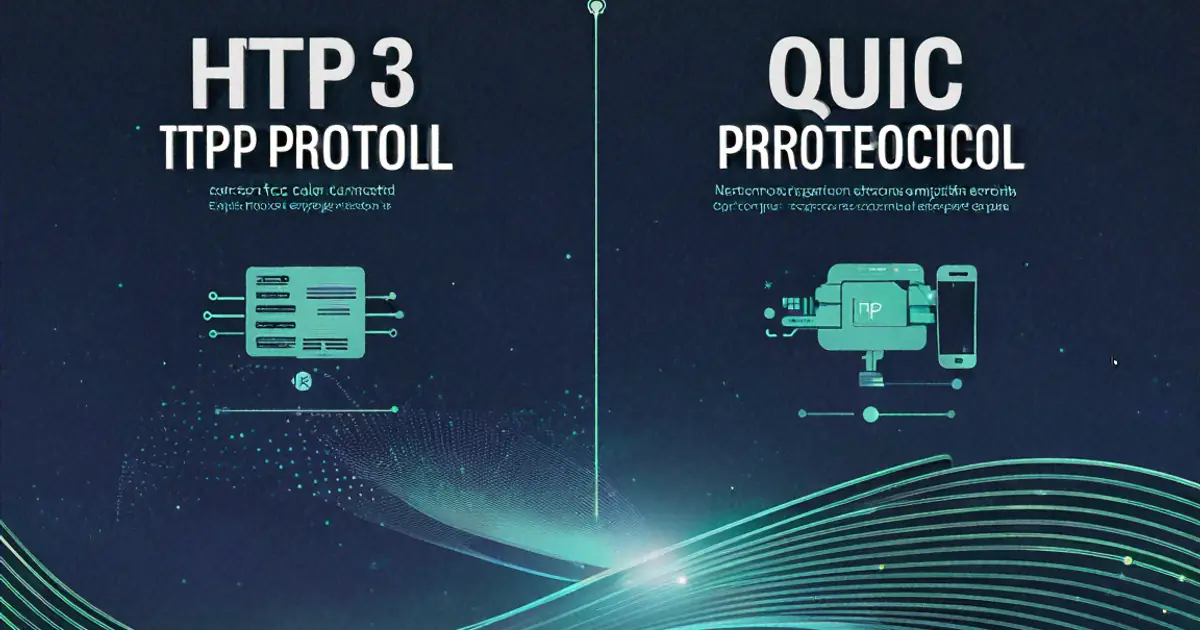
Watched a talk at a conference where someone showed a demo of switching from WiFi to cellular while a video stream was playing over HTTP/3. No rebuffering. No reconnection. No visible interruption. The stream just continued as if the network hadn't completely changed underneath it. The audience of mostly web developers sat there looking confused because everything we'd been taught about TCP connections said that should be impossible.
That demo is what got me to actually read the QUIC RFC instead of just knowing "HTTP/3 exists and uses UDP." The protocol decisions underneath HTTP/3 are fascinating — not just incremental improvements, but fundamental rethinking of how internet connections work. And the reasons for those decisions seem to teach you a lot about why the web is slow in ways that no amount of JavaScript optimization can fix.
Why HTTP/2 Fell Short
HTTP/2 was supposed to solve everything. Multiplexing — multiple requests over a single TCP connection. Header compression. Server push. Released in 2015, it was a genuine improvement over HTTP/1.1's one-request-per-connection model.
But HTTP/2 inherited a fundamental problem from TCP that it couldn't solve: head-of-line blocking at the transport layer.
Here's what happens. You open an HTTP/2 connection to a server. Multiple requests fly over the same TCP connection — your HTML, CSS, JavaScript, images, all multiplexed together. TCP guarantees in-order delivery of bytes. If a single TCP packet carrying part of the CSS file gets lost in transit, TCP stops delivering ALL data on that connection until the lost packet is retransmitted and received. Your JavaScript, which arrived perfectly fine, sits in a buffer waiting. Your images, also fine, wait too. Everything waits for one lost packet.
HTTP/2 over TCP — Head-of-line blocking

Request A (CSS):    [packet 1] [packet 2] [LOST] [packet 4]
Request B (JS):     [packet 1] [packet 2] [packet 3]  ← delivered fine
Request C (Image):  [packet 1] [packet 2]              ← delivered fine

TCP buffer: All data blocked until CSS packet 3 is retransmitted
            B and C are complete but can't be delivered to the application
HTTP/2's multiplexing actually makes this worse than HTTP/1.1 in some scenarios. With HTTP/1.1, browsers opened 6 parallel TCP connections. A packet loss on one connection only blocked that connection's request — the other 5 continued independently. With HTTP/2, everything's on one connection. One packet loss blocks everything.
On reliable, low-latency connections (your office fiber), this barely matters. Packet loss is rare. On mobile networks, WiFi with interference, or connections crossing congested network links? Packet loss rates of 1-3% are common, from what I've seen. At 2% packet loss, HTTP/2 can actually perform worse than HTTP/1.1, in my experience, because of this head-of-line blocking amplification.
The HTTP/2 specification authors knew about this. The problem is unsolvable within TCP. TCP is defined at the operating system kernel level, baked into every router and middlebox on the internet. You can't change TCP's ordered delivery guarantee without breaking the entire internet's networking stack. So the solution had to go around TCP entirely.
QUIC — Building a New Transport Protocol
QUIC (originally "Quick UDP Internet Connections," now just QUIC — the acronym is dead) is a new transport protocol that runs on top of UDP. Google started developing it in 2012, and it was standardized as RFC 9000 in 2021. HTTP/3 is HTTP semantics running over QUIC instead of TCP.
Why UDP? Because UDP provides almost nothing. No guaranteed delivery. No ordering. No connection state. It's just "send a packet to this address." That emptiness is the feature. QUIC builds its own reliability, ordering, and connection management on top of UDP — but with different design decisions than TCP made.
Independent Stream Multiplexing
QUIC's solution to head-of-line blocking: treat each stream as independent. If a packet belonging to stream 3 is lost, only stream 3 is blocked. Streams 1, 2, and 4 continue delivering data to the application without waiting.
QUIC — Independent streams

Stream A (CSS):    [packet 1] [packet 2] [LOST] [packet 4]  ← only A blocked
Stream B (JS):     [packet 1] [packet 2] [packet 3]          ← delivered immediately
Stream C (Image):  [packet 1] [packet 2]                      ← delivered immediately

Each stream has its own ordering. Loss in one doesn't affect others.
This is the fundamental architectural difference. TCP provides a single ordered byte stream. QUIC provides multiple independent ordered byte streams within a single connection. Packet loss on one stream doesn't stall the others.
The implementation is in userspace (your application process) rather than the kernel. QUIC handles packet numbering, loss detection, and retransmission in the QUIC library itself, not in the operating system. This has a massive side benefit: QUIC can be updated without updating operating systems. TCP improvements take 5-10 years to reach most users because they require kernel updates. QUIC improvements ship with browser updates, which happen every few weeks.
Connection Establishment — 0-RTT
A TCP + TLS connection requires multiple round trips before any application data can flow.
TCP + TLS 1.3 handshake:

Client → Server:  TCP SYN                    (1 RTT)
Server → Client:  TCP SYN-ACK
Client → Server:  TCP ACK + TLS ClientHello  (2 RTT)
Server → Client:  TLS ServerHello + Certificate
Client → Server:  TLS Finished + First HTTP request  (3 RTT)

Minimum: 2 round trips before data flows (1 TCP + 1 TLS)
With TLS 1.2: 3 round trips
On a 50ms latency connection, that's 100-150ms of handshaking before the first byte of your webpage starts loading. On a mobile connection with 150ms latency, it's 300-450ms. Just for the handshake. No data has been transferred yet.
QUIC merges the transport and encryption handshakes into a single step.
QUIC handshake (first connection):

Client → Server:  QUIC Initial (includes TLS ClientHello)  (1 RTT)
Server → Client:  QUIC Handshake (includes TLS ServerHello + Certificate)
Client → Server:  QUIC Handshake Complete + First HTTP request

Minimum: 1 round trip before data flows
One round trip instead of two. For a new connection, QUIC saves 50-150ms depending on latency.
For repeat connections, it gets better. If the client has previously connected to the server, it can use 0-RTT (zero round trip time) resumption. The client sends encrypted application data in the very first packet — before the server has even responded.
QUIC 0-RTT (repeat connection):

Client → Server:  QUIC Initial + 0-RTT data (First HTTP request)
Server → Client:  Response starts immediately

Data flows from the very first packet. Zero round trips of latency.
The server can start processing the HTTP request and sending the response before the handshake is complete. On a 150ms latency connection, 0-RTT saves 150ms per connection. That's not a micro-optimization — that's perceptible to users.
There's a security tradeoff. 0-RTT data can potentially be replayed by an attacker who captures the packet. If the request is a GET (read-only, no side effects), replay is harmless — the server just returns the same data again. For state-changing requests (POST, PUT, DELETE), servers need to implement replay protection or refuse 0-RTT data for those requests. Most QUIC implementations handle this automatically, but it's worth understanding that 0-RTT isn't free.
Connection Migration — The Magic Trick
This is the feature from that conference demo. Connection migration means a QUIC connection can survive network changes.
TCP connections are identified by a 4-tuple: source IP, source port, destination IP, destination port. Change any of these, and the connection is dead. Walk from WiFi to cellular? New IP address. Dead connection. TCP has to establish a brand new connection — full handshake, TLS negotiation, the works.
QUIC connections are identified by a Connection ID — a random value in the QUIC header. The IP address and port can change, and as long as the connection ID matches (and the cryptographic keys still work), the connection continues.
Connection migration:

[On WiFi]
Client IP: 192.168.1.100
Connection ID: 0x7a3f
Stream 1: downloading large image...

[Switch to Cellular]
Client IP: 10.42.0.15       ← IP changed
Connection ID: 0x7a3f       ← same connection ID
Stream 1: ...continues downloading without interruption
The server sees a packet with the known connection ID arrive from a new IP address. It verifies the packet's cryptographic authentication (preventing spoofing), updates the peer address, and continues the connection. No handshake. No retransmission of already-acknowledged data. The application layer — your browser, the video player, the file download — doesn't even know the network changed.
For mobile users, this matters constantly. Walking through an office, the phone switches between WiFi access points. Riding a subway, the phone switches between cell towers. Each switch changes the IP address. With TCP, every switch kills every open connection. With QUIC, the connections survive.
Built-in Encryption
Every QUIC connection is encrypted. There's no unencrypted QUIC. This isn't a design preference — it's a protocol requirement.
The motivation is partly security and partly pragmatic. Middleboxes — firewalls, NAT devices, corporate proxies, ISP equipment — have a long history of interfering with protocols they can inspect. TCP had to evolve glacially because middleboxes would break connections using TCP extensions they didn't recognize. By encrypting everything, QUIC makes its headers and payload opaque to middleboxes. They can see it's UDP traffic, but they can't inspect, modify, or make assumptions about the content. This lets QUIC evolve without worrying about middlebox compatibility.
The encryption uses TLS 1.3 integrated into the QUIC handshake. Not TLS layered on top of QUIC (like TLS on top of TCP). The TLS negotiation IS the QUIC connection establishment. This tight integration is what enables the 1-RTT and 0-RTT handshakes — there's no separate encryption step because encryption is woven into the transport layer itself.
Real-World Adoption
As of early 2026, roughly 30% of web traffic uses HTTP/3. Google services, Meta properties, Cloudflare-hosted sites, and most major CDNs support it. Your browser almost certainly negotiates HTTP/3 automatically for sites that offer it.
The negotiation happens via the Alt-Svc HTTP header. A server responds over HTTP/2, includes an Alt-Svc: h3=":443" header, and the browser notes that HTTP/3 is available on port 443 via QUIC. The next request to that origin uses HTTP/3.
First visit:
Browser → Server: HTTP/2 request
Server → Browser: HTTP/2 response + Alt-Svc: h3=":443"; ma=86400

Second visit:
Browser → Server: QUIC connection to port 443
Server → Browser: HTTP/3 response
The ma=86400 means the browser should remember this alternative service for 86400 seconds (24 hours). During that window, all requests to this origin attempt HTTP/3 first.
Enabling HTTP/3 on Your Server
If you're behind Cloudflare, Fastly, or AWS CloudFront, HTTP/3 is likely already enabled or available as a toggle. The CDN handles QUIC termination and proxies to your origin over HTTP/2 or HTTP/1.1.
For self-hosted servers, Nginx supports HTTP/3 since version 1.25.0:
server {
    listen 443 ssl;
    listen 443 quic reuseport;

    http2 on;

    ssl_certificate /path/to/cert.pem;
    ssl_certificate_key /path/to/key.pem;

    add_header Alt-Svc 'h3=":443"; ma=86400' always;

    location / {
        proxy_pass http://localhost:3000;
    }
}
The listen 443 quic directive enables QUIC on port 443. The Alt-Svc header tells browsers that HTTP/3 is available. Both HTTP/2 and HTTP/3 run on the same port — HTTP/2 over TCP, HTTP/3 over UDP.
Caddy supports HTTP/3 out of the box with zero configuration. If you're using Caddy as a reverse proxy, HTTP/3 is enabled automatically:
example.com {
    reverse_proxy localhost:3000
}
That's the entire config. Caddy handles TLS certificates (via Let's Encrypt), HTTP/2, HTTP/3, and the Alt-Svc header automatically.
Measuring the Impact
How much faster is HTTP/3 in practice? It depends heavily on the network conditions.
On a reliable, low-latency wired connection: minimal difference. HTTP/2 and HTTP/3 perform similarly because the problems QUIC solves (head-of-line blocking, connection setup latency) barely affect connections with under 1% packet loss and 10ms latency.
On mobile networks with moderate packet loss: significant improvement. Google reported 2-8% reduction in search latency globally when deploying QUIC, with larger improvements in regions with poorer network infrastructure. YouTube reported 15-18% reduction in rebuffering on mobile.
The connection migration benefit is harder to measure but arguably more impactful for user experience. Every time a mobile user switches networks and a TCP connection dies, the browser has to re-establish the connection. With HTTP/3, nothing happens — the request continues. This turns a multi-second interruption into no interruption at all.
Testing Your Site
Check if your site supports HTTP/3 using browser DevTools. Open the Network panel, enable the "Protocol" column (right-click the column headers to add it), and look for h3 in the protocol column. If you see h2, your connection is HTTP/2. If h3, you're on HTTP/3.
You can also test from the command line:
curl --http3 -I https://your-site.com
This requires curl 7.88+ compiled with HTTP/3 support (via ngtcp2 or quiche). If your curl doesn't support --http3, check the response headers for alt-svc to see if the server advertises HTTP/3 support:
curl -sI https://your-site.com | grep -i alt-svc
# alt-svc: h3=":443"; ma=86400
What Developers Need to Do (Mostly Nothing)
Here's the practical reality: if you're using a modern CDN or hosting platform, HTTP/3 probably already works for your site. The protocol negotiation is automatic. Browsers fall back to HTTP/2 if QUIC is blocked (some corporate firewalls block UDP on port 443). Your application code doesn't change at all — HTTP/3 is a transport concern, not an application concern.
The situations where HTTP/3 awareness matters for developers:
Server-to-server communication. If your backend makes HTTP requests to other services, your HTTP client library might not support HTTP/3 yet. Most server-side HTTP clients default to HTTP/1.1 or HTTP/2. This is fine for data center communication where latency is sub-millisecond, but for calls to external APIs across the internet, HTTP/3 support would provide the same benefits as browser-to-server communication.
WebSocket alternatives. QUIC's stream multiplexing opens up alternatives to WebSockets. WebTransport is a new API built on QUIC that provides bidirectional client-server communication with multiplexed streams and unreliable datagrams. For applications that currently use WebSockets — chat, real-time collaboration, live data feeds — WebTransport may eventually be a better option because it doesn't suffer from TCP head-of-line blocking.
Performance budgets. If you're optimizing page load performance, understanding that HTTP/3 eliminates the TCP handshake latency means your connection setup is faster. This doesn't change your optimization strategy (compress assets, defer non-critical resources, minimize requests) but it shifts the baseline. The handshake overhead you used to budget for is smaller or gone.
The Bigger Picture
HTTP/3 represents something broader than just a faster protocol, as far as I can tell. It's the first major internet transport protocol to ship as a userspace implementation rather than a kernel feature. That means it can evolve at the speed of software updates, not the speed of operating system deployments.
TCP was standardized in 1981. Forty-five years later, we're still limited by design decisions made before most current developers were born. QUIC was standardized in 2021 and has already gone through multiple iterations with new features. The feedback loop is months, not decades.
This matters because the internet isn't the network it was in 1981. Mobile connections, global CDNs, encrypted-by-default expectations, users switching networks constantly — none of these were considerations when TCP was designed. QUIC was designed for the internet we actually have. The performance benefits aren't incidental — they're the result of building a transport protocol for modern conditions instead of adapting a 45-year-old protocol to conditions it was never designed for.
Whether you actively configure HTTP/3 or let your CDN handle it, understanding why it exists and what it solves gives you better intuition for web performance. The next time a user reports that your site is slow on their phone, you'll know that part of the answer might be at a layer below your JavaScript, below your server, in the protocol that carries your bytes across the wire.
Keep Reading
- DNS Explained Properly — Recursive Resolvers, TTL, and Why Propagation Isn't Real — Before QUIC sends a single byte, DNS has to resolve the address; understanding that layer completes the picture.
- Web Performance That Actually Matters — Beyond Lighthouse Scores — HTTP/3 improves the transport, but there is plenty to optimize at the application layer too.
Written by
Anurag Sinha
Full-stack developer specializing in React, Next.js, cloud infrastructure, and AI. Writing about web development, DevOps, and the tools I actually use in production.
Stay Updated
New articles and tutorials sent to your inbox. No spam, no fluff, unsubscribe whenever.
I send one email per week, max. Usually less.
Comments
Loading comments...
Related Articles
WebAssembly Demystified — It's Not Just 'Fast JavaScript'
What WebAssembly actually is under the hood, why calling it fast JavaScript misses the point, and the Rust-to-WASM pipeline I use in real projects.
Browser DevTools — Way Beyond console.log
The debugging features hiding in plain sight that took me years to discover. Performance profiling, memory leak hunting, network simulation, and the snippets panel I now use daily.
WebSockets — When Polling Stops Being Enough
Why I switched from polling to WebSockets, the reconnection logic nobody warns you about, and what happens when you try to scale beyond one server.