System Design — Not Interview Prep, Real Decisions
The system design concepts I actually use at work: load balancers, caching layers, message queues, and why picking the right trade-off matters more than knowing the right answer.
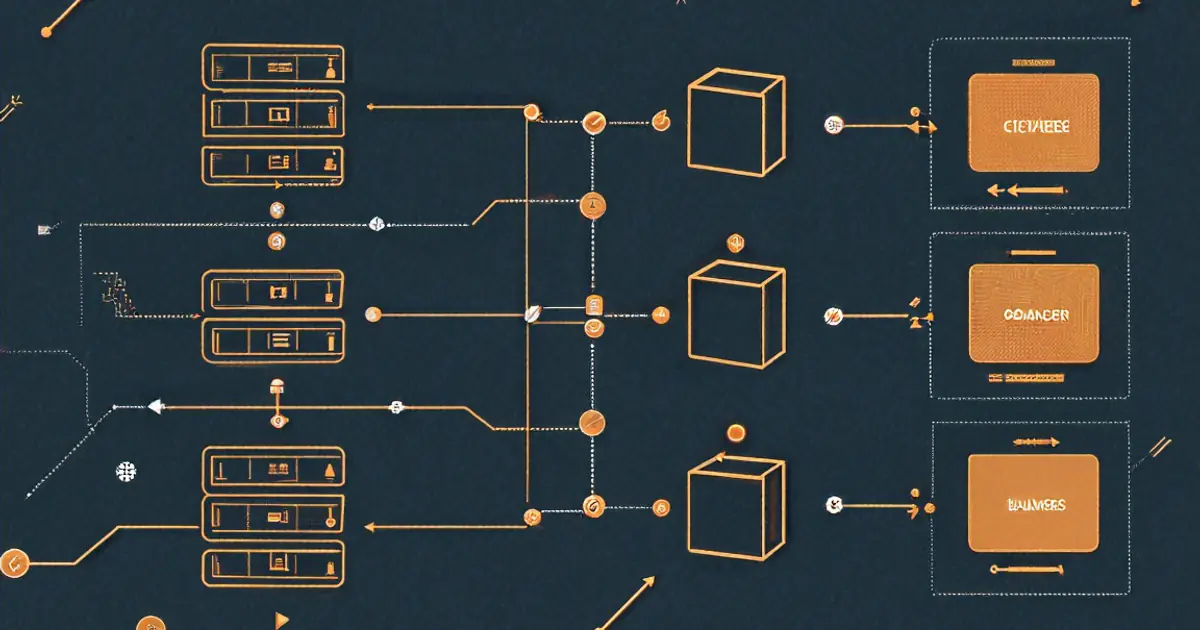
Three in the morning. Dashboard's red. You're SSH'd into a box trying to figure out which part of the architecture is actually broken. Grafana panels are all spiking at once — latency up, queue depth climbing, error rate through the roof. Somewhere between the load balancer, the cache, and the database, something gave out. But what?
That feeling — staring at a wall of metrics while Slack lights up with "is the site down?" — has taught me more about system design than any whiteboard interview ever did. And it's where I want to start. Not with definitions. With the moment everything falls apart and you need to understand how the pieces connect.
Because here's the thing about system design interviews: they test whether you can draw boxes and arrows while saying "horizontal scaling" and "eventual consistency." Real system design? That's watching 95th percentile latency crawl toward 2 seconds and narrowing down which box is choking before users bail. Same vocabulary. Completely different muscle.
What Broke: Reading the Dashboard Backward
So you're in that 3 AM moment. Let's work through it.
Error rates jumped first. Then latency. Then the queue started backing up. Most people look at the most recent symptom — the queue — and assume that's the problem. Nine times out of ten, it's not. Queues back up because something downstream stopped draining them. Follow the dependency chain backward.
In one incident last year, the chain went like this: response times spiked because the application servers were all waiting on database connections. The connection pool was exhausted. Why? A poorly indexed query that normally took 8ms was suddenly taking 4 seconds because the table had grown past a threshold where the query planner changed strategies. One bad query. That was the whole crisis.
Everything else — the queue backup, the load balancer health checks starting to fail, the cache miss rate climbing because TTLs were expiring on entries that couldn't be refreshed — was a downstream effect. Every one of those components (load balancers, caches, queues) exists for a reason. But understanding them matters most when they're all screaming at you simultaneously. Let me walk through each one, framed not as "what it is" but as "why you'd need it and what goes wrong without it."
When One Server Isn't Enough (And When It Still Is)
Before any of the distributed stuff: most projects should start as a monolith. One application, one database, one deployment pipeline. I wrote about the microservices vs. monolith decision in more depth, but the short version — microservices solve organizational problems (teams needing to ship independently) more than they address technical ones. A single team working from one codebase gets simpler debugging, straightforward deployments, no network boundaries between components, and the freedom to refactor without coordinating across repositories.
Instagram ran as a monolithic Django app serving 30 million users before any extraction happened. Shopify still operates as largely a monolith. Starting there isn't lazy engineering — it's deferring complexity until you've earned the need for it.
Design the monolith with clean boundaries, though. Separate your modules. Keep database access distinct from business logic. When extraction day arrives, clean boundaries make the surgery manageable rather than terrifying.
Distributing the Load (And the Health Check You Forgot)
Back to that 3 AM incident. Part of why the outage cascaded so badly was that health checks weren't tuned correctly. The load balancer kept sending requests to a server that was technically responding — just responding with 500 errors after 4-second timeouts. From its perspective, the server was "up."
A load balancer's job sounds simple: one server handles N requests per second before degrading, so put a second server behind a proxy and now you handle 2N. Round-robin distribution — each server takes turns — works surprisingly well for stateless applications.
Client -> Load Balancer -> Server 1
                        -> Server 2
                        -> Server 3
Nginx does this with barely any configuration:
upstream api_servers {
    server api1.internal:3000;
    server api2.internal:3000;
    server api3.internal:3000;
}

server {
    location /api {
        proxy_pass http://api_servers;
    }
}
But health checks are where it gets real. If server 2 goes down and the balancer keeps sending traffic, a third of your requests fail. Nginx's max_fails and fail_timeout parameters handle basic detection — after N consecutive failures, the server gets pulled from the pool temporarily:
upstream api_servers {
    server api1.internal:3000 max_fails=3 fail_timeout=30s;
    server api2.internal:3000 max_fails=3 fail_timeout=30s;
    server api3.internal:3000 max_fails=3 fail_timeout=30s;
}
Cloud load balancers — AWS ALB, GCP Load Balancing — handle this automatically. You define a /health endpoint returning 200 when the server's ready, and the balancer pings it periodically. No response? Traffic gets rerouted.
Something that surprised me early on: load balancers aren't just for handling more traffic. Even a single backend behind one lets you do zero-downtime deployments. Spin up a new version on a second server, add it to the pool, drain the old one. No interruption. That alone justified running Nginx in front of my single-server projects.
The Cache That Saved You (Until It Didn't)
Remember that incident? Cache miss rates were climbing. Here's why that mattered so much.
A well-configured cache sits between your application and the expensive thing — usually a database. Query takes 200ms? Cache that result, serve subsequent requests in 2ms. When it works, it's practically invisible. When the cache goes cold or the entries start expiring faster than they can be repopulated, your database suddenly absorbs the full request volume it was being shielded from. That's a cache stampede.
Multiple cache layers typically exist in a web application, and they don't all break the same way:
Browser cache — HTTP headers like Cache-Control: max-age=3600 tell the browser to reuse responses without contacting the server. Zero latency for the user, zero load on your infrastructure. Set it on static assets and the browser won't even make a request for an hour.
CDN cache — Geographically distributed servers cache your content at edge locations near users. Someone in Tokyo gets your page from a Tokyo edge server rather than your origin in Virginia. Lower latency, dramatically less origin load. For static content, running without a CDN is just leaving performance on the table.
Application cache — Redis or Memcached sitting between your app and the database. The classic cache-aside pattern:
import redis
import json

cache = redis.Redis(host='localhost', port=6379)

def get_user_profile(user_id):
    # Check cache first
    cached = cache.get(f"user:{user_id}")
    if cached:
        return json.loads(cached)

    # Cache miss — query database
    profile = db.query("SELECT * FROM users WHERE id = %s", user_id)

    # Store in cache for future requests
    cache.setex(f"user:{user_id}", 300, json.dumps(profile))  # 5 min TTL

    return profile
I covered cache-aside, write-through, and the stampede problem in detail in my Redis post.
Cache invalidation — famously one of the hardest problems in computer science. When underlying data changes, your cached copy becomes stale. TTL (time-to-live) is the simplest approach: entries expire after N seconds regardless. Data might be up to N seconds out of date, but the cache self-corrects. For many use cases, "eventually consistent" works fine.
The mistake I run into most often in the wild: caching before measuring. Someone bolts Redis onto a project because "caching makes things fast" without first checking whether the queries are actually slow. If your database returns results in 5ms, adding a cache layer adds complexity for negligible benefit. Measure first. Cache the bottlenecks.
Decoupling With Queues (Because Users Hate Waiting)
Part of what made that 3 AM incident so confusing was that the queue backed up, which looked like the queue system itself was broken. It wasn't. The workers consuming from the queue were blocked on the same overwhelmed database. No messages were being processed, so the queue just... grew.
That's the thing about message queues — they're excellent at absorbing spikes and decoupling work, but they don't fix downstream problems. They mask them, sometimes for hours, until the queue is so deep recovery takes forever.
When they work well, though, queues change the user experience completely. Picture this: a user uploads a profile photo. You need to resize it to 5 dimensions, generate a thumbnail, push it to the CDN, and run it through content moderation. Eight seconds of processing. Making someone stare at a spinner for eight seconds? Terrible.
Instead — accept the upload, drop a message onto the queue saying "process this photo," return a response instantly. A background worker picks up the message and handles processing asynchronously.
User uploads photo -> API accepts it -> drops message in queue -> returns "Upload successful"
                                              |
                                    Worker picks up message
                                    -> Resizes to 5 dimensions
                                    -> Generates thumbnail
                                    -> Updates CDN
                                    -> Runs moderation check
RabbitMQ, Amazon SQS, Redis Streams — the implementation differs, but the concept stays constant: decouple "accept the request" from "do the work."
A minimal example using Bull (a Redis-based queue for Node.js):
import Queue from 'bull';

const imageQueue = new Queue('image-processing', 'redis://localhost:6379');

// API handler — fast, returns immediately
app.post('/upload', async (req, res) => {
  const imageUrl = await saveToStorage(req.file);

  await imageQueue.add('process-image', {
    imageUrl,
    userId: req.user.id,
    sizes: [128, 256, 512, 1024, 2048]
  });

  res.json({ status: 'processing', imageUrl });
});

// Worker — runs separately, processes jobs from the queue
imageQueue.process('process-image', async (job) => {
  const { imageUrl, userId, sizes } = job.data;

  for (const size of sizes) {
    await resizeImage(imageUrl, size);
  }

  await runModerationCheck(imageUrl);
  await notifyUser(userId, 'Image processing complete');
});
Queues also buy you resilience. Worker crashes mid-processing? Message stays in the queue (or returns after a timeout) and another worker picks it up. Compare that to inline processing — server crashes mid-resize, the upload's gone, and the user retries.
The trade-off: complexity. Now you've got a queue to monitor, workers to deploy and scale, and no immediate feedback to the user about whether processing succeeded. You need WebSockets, polling, or push notifications to communicate completion. I covered the WebSocket approach in my WebSockets post.
Where You Store the Data (And Where It Bites You)
Most projects don't need to agonize over database architecture. PostgreSQL with sensible indexing covers an enormous range of use cases. I covered PostgreSQL-specific performance strategies — indexing, query planning, and the settings that move the needle most — in my PostgreSQL tuning post.
But as data grows or access patterns get more demanding, you run into walls. Three situations that come up repeatedly:
Read replicas — Your primary handles all writes. Copies stay synchronized and absorb read traffic. If your app is 90% reads (most web apps are), routing reads to replicas takes the majority of load off the primary.
Writes -> Primary DB
Reads  -> Replica 1
       -> Replica 2
       -> Replica 3
Replication lag is the catch. A write hits the primary, and propagation to replicas takes time — usually milliseconds, sometimes longer under heavy load. User updates their profile, immediately views it, and the read hits a replica that hasn't received the update yet. For "read-your-own-writes" paths, route to the primary. Everything else? Replicas handle it fine.
Sharding — Splitting data across multiple servers. User IDs 1-1000000 on shard 1, 1000001-2000000 on shard 2. Write throughput scales horizontally. But cross-shard queries become painful, rebalancing when you add shards is messy, and every query needs routing logic. Most teams should exhaust vertical scaling (bigger machine), read replicas, and caching before even considering it.
Document stores for specific patterns — MongoDB, DynamoDB, Cassandra. Each optimized for particular query shapes. Storing and retrieving documents by ID with no joins? A document database is simpler than a relational one. Writing millions of events per second with no relationships? Cassandra handles it. But picking a NoSQL database because "it's faster" without a concrete access pattern in mind usually means you'll end up reinventing relational features badly.
Consistency, Availability, and the Partition You Can't Avoid
The CAP theorem gets taught as a clean trichotomy: pick two of three — Consistency, Availability, Partition tolerance. But network partitions aren't optional. They happen. So the real choice, when a partition occurs, boils down to: do you reject writes (staying consistent — every read returns the latest write) or accept writes on whichever replica is reachable (staying available — the system keeps working but replicas may diverge)?
Most web applications lean toward availability. A user seeing slightly stale data for a few seconds beats an error page. Banking systems lean the other way — displaying an incorrect account balance is worse than a brief outage.
Where this shows up in day-to-day work: choosing replication modes for your database, deciding whether your cache needs strict invalidation or whether TTL-based expiry is good enough, picking synchronous vs. asynchronous messaging. Each one is a consistency-vs-availability trade-off wearing different clothes.
That 3 AM incident? Availability had been chosen. The replicas kept serving stale reads while the primary was drowning. Nobody saw errors — they just saw data from 30 seconds ago. Depending on your product, that's either fine or a disaster.
Don't Let Bad Clients Bring You Down
Rate limiting protects your API from abuse — and from yourself. Without it, a single misbehaving client (or a bug in your own frontend making requests in a tight loop) can flood your backend.
The token bucket algorithm is the most common approach. Each client gets a bucket holding N tokens. Every request consumes one. Tokens refill at a fixed rate. Bucket empty? Requests get rejected until refill happens.
import time

class RateLimiter:
    def __init__(self, max_tokens, refill_rate):
        self.max_tokens = max_tokens
        self.refill_rate = refill_rate  # tokens per second
        self.buckets = {}

    def allow_request(self, client_id):
        now = time.time()

        if client_id not in self.buckets:
            self.buckets[client_id] = {
                'tokens': self.max_tokens,
                'last_refill': now
            }

        bucket = self.buckets[client_id]

        # Refill tokens based on elapsed time
        elapsed = now - bucket['last_refill']
        bucket['tokens'] = min(
            self.max_tokens,
            bucket['tokens'] + elapsed * self.refill_rate
        )
        bucket['last_refill'] = now

        if bucket['tokens'] >= 1:
            bucket['tokens'] -= 1
            return True

        return False

limiter = RateLimiter(max_tokens=100, refill_rate=10)  # 100 burst, 10/sec sustained
In production, use a Redis-based rate limiter so all your servers share the same counters. The in-memory version above breaks down when requests are spread across multiple servers.
Return proper HTTP 429 (Too Many Requests) responses with a Retry-After header so well-behaved clients know when to back off.
Seeing Inside the Black Box
When that 3 AM page fires, you need three things working or you're flying blind.
What happened — Structured JSON logs with request IDs that follow a request across every service it touches. Not console.log("something went wrong") but { "level": "error", "message": "Payment failed", "userId": "123", "requestId": "abc-def", "error": "timeout", "duration_ms": 5032 }. One ID, the complete story. You search for it and see every hop, every failure, every retry.
How the system's behaving over time — Request rate, error rate, latency percentiles. p50, p95, p99. And that p99 matters more than you'd think — your average might sit at 50ms while p99 is 3 seconds, meaning 1% of users are having an awful experience. Grafana or Datadog dashboards visualize these trends. Alerts fire when metrics cross thresholds: error rate above 5%, p95 latency above 500ms, queue depth growing rather than draining.
The path a single request took — Traces. A request hits the API gateway, travels to the user service, which queries the database, checks the cache, and calls an external API. A trace shows every step with its duration. When the overall response takes 2 seconds, you can see that 1.8 of those seconds were spent waiting on the external API. Without tracing, you're guessing. OpenTelemetry has become the standard — instrument once, send to whatever backend you prefer.
The investment in observability pays off completely the first time something breaks at 11 PM and you need to diagnose it remotely, with no debugger, while half the team's asleep. Systems that are easy to fix at 3 AM are systems that were built to be watched.
Picking Your Trade-Offs
The actual skill isn't knowing what load balancers or caches or queues are. Plenty of people can recite definitions. The skill is deciding when to add one, which type fits, and what you're giving up by doing so. Every component you bolt onto the architecture is complexity you're signing up for — deployment complexity, debugging overhead, operational burden, onboarding friction for new team members.
What's worked for me, I think: start simple, measure everything, and add components when the measurements point to a specific bottleneck. Don't add a cache because someone said caching makes things fast. Add one because your metrics show a particular query pattern is the bottleneck and caching it would cut latency meaningfully. Don't add a message queue because "async is better." Add one because a specific user-facing operation is slow due to work that doesn't need to block the response.
Every architectural decision is a trade-off. The best system designers aren't the ones carrying the most patterns in their head — they're the ones who pick the right trade-off for the situation in front of them and can articulate why.
And that's how you end up staring at Grafana at 3 AM realizing it was the database all along. You trace the error spike backward through the queue backup, through the rising cache misses, through the health check failures, and there it sits: one query, one missing index, one table that grew past a threshold nobody was watching. All of the distributed systems knowledge in the world comes down to knowing which thread to pull when everything's on fire. Build systems you can observe. Measure before you add complexity. And for the love of everything, check your slow query logs before you go to sleep.
Further Resources
- Martin Fowler's Architecture Blog — Thoughtful articles on software architecture patterns, distributed systems, and making pragmatic design decisions.
- AWS Architecture Center — Reference architectures, best practices, and case studies for building reliable, scalable systems on cloud infrastructure.
- The Twelve-Factor App — A methodology for building modern, scalable software-as-a-service applications that covers configuration, dependencies, and deployment.
Written by
Anurag Sinha
Full-stack developer specializing in React, Next.js, cloud infrastructure, and AI. Writing about web development, DevOps, and the tools I actually use in production.
Stay Updated
New articles and tutorials sent to your inbox. No spam, no fluff, unsubscribe whenever.
I send one email per week, max. Usually less.
Comments
Loading comments...
Related Articles
Monolith vs. Microservices: How We Made the Decision
Our team's actual decision-making process for whether to break up a Rails monolith. Spoiler: we didn't go full microservices.
SQLite — The Most Underrated Database in Your Toolbox
Why I stopped reaching for Postgres by default and started shipping production apps with SQLite. WAL mode, embedded analytics, and when it genuinely beats the big databases.

MongoDB vs PostgreSQL — An Honest Comparison After Using Both in Production
When the document model actually helps, when relational wins, and the real project stories behind the decision.