AWS Lambda in Production — Cold Starts, Real Costs, and When Serverless Doesn't Make Sense
After running Lambda in production for two years, here's what the marketing pages don't tell you about cold starts, billing surprises, and where serverless falls apart.
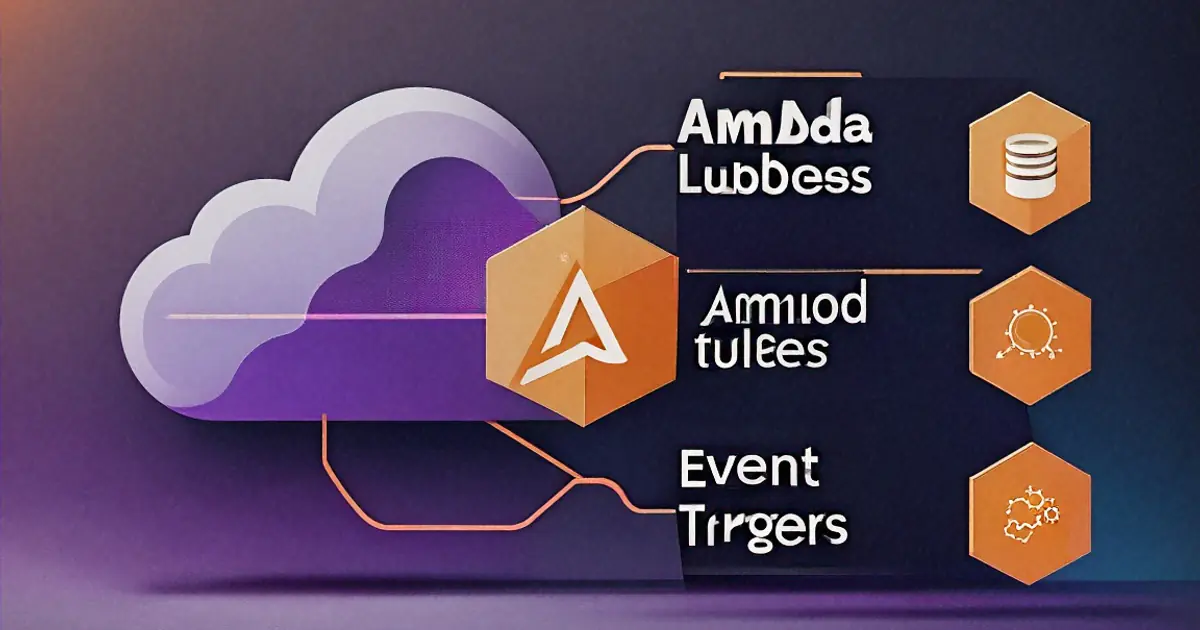
Our first Lambda function went to production with exactly the architecture you see in every serverless tutorial: API Gateway triggers Lambda, Lambda talks to DynamoDB, responses go back through the gateway. Elegant diagram. Clean separation. The marketing pitch worked.
Three months later we had 47 Lambda functions, a deployment pipeline that took 20 minutes, cold starts adding 3-4 seconds to API calls that users noticed, and a monthly bill that was somehow higher than the EC2 instances we replaced. Not because serverless is bad — probably because we used it for everything instead of understanding where it makes sense and where it doesn't.
Going to share what I actually learned, including the parts that aren't in the "Getting Started with Serverless" blog posts.
Cold Starts — The Problem Nobody Tells You About Until You Hit It
A cold start happens when AWS needs to create a new execution environment for your Lambda function. It downloads your deployment package, starts the runtime, runs your initialization code, then handles the request. This setup takes time. How much time depends on the runtime, the package size, whether you're in a VPC, and — I'm not entirely sure — maybe which phase of the moon it is. Kidding about the last one. Mostly.
Node.js and Python cold starts: typically 200-500ms. Manageable for many use cases.
Java and .NET cold starts: 2-10 seconds. Not a typo. The JVM startup alone can eat several seconds. Had a Java Lambda behind an API that users hit from a web app. First request after a quiet period: five-second spinner. Users thought the app was broken.
# This initialization code runs during cold start, not on every invocation
import boto3
import json
from datetime import datetime

# These connections are created once and reused across invocations
dynamodb = boto3.resource('dynamodb')
table = dynamodb.Table('users')

def handler(event, context):
    # This runs on every invocation - keep it fast
    user_id = event['pathParameters']['id']
    response = table.get_item(Key={'id': user_id})
    return {
        'statusCode': 200,
        'body': json.dumps(response.get('Item', {}))
    }
Key insight that took me too long to internalize: code outside the handler function runs once during cold start. Code inside the handler runs every time. Database connections, SDK clients, heavy imports — put them outside the handler. They persist across invocations in the same execution environment.
What Actually Helps with Cold Starts
Provisioned Concurrency. AWS keeps a specified number of execution environments warm and ready. No cold starts for those pre-warmed instances. The catch: you pay for them whether they're handling requests or not. It's basically paying for an always-on server, which somewhat defeats the "pay only for what you use" promise. We use it for user-facing API endpoints where latency matters. Background processing functions don't need it.
# serverless.yml
functions:
  api:
    handler: handler.main
    provisionedConcurrency: 5  # 5 always-warm instances
    events:
      - http:
          path: /users/{id}
          method: get
Smaller deployment packages. Cold start duration correlates with package size. A 50MB Lambda with half of node_modules bundled takes longer to initialize than a 5MB Lambda with only the dependencies it needs. Tree shaking, bundling with esbuild, excluding dev dependencies — these aren't optimizations, they're necessities.
# Before: 48MB deployment package
npm install
zip -r function.zip .

# After: 3.2MB deployment package
npx esbuild handler.ts --bundle --platform=node --target=node20 \
    --outfile=dist/handler.js --minify --external:@aws-sdk/*
cd dist && zip -r ../function.zip .
The --external:@aws-sdk/* flag is important — the AWS SDK v3 is available in the Lambda runtime, so bundling it is wasted space. Went from 48MB to 3.2MB on one function. Cold start dropped from 1.2 seconds to 300ms.
SnapStart for Java. AWS takes a snapshot of the initialized JVM and restores it instead of doing a full cold start. Reduced our Java Lambda cold starts from 5+ seconds to under a second. If you're stuck with Java Lambdas, this is non-negotiable. Just enable it.
ARM64 (Graviton). Switching the architecture from x86 to arm64 gives a small cold start improvement and a 20% price reduction. No code changes needed for interpreted languages. Compiled languages need an ARM build. Free performance and cost improvement — I switch every new function to arm64 by default.
The Billing Model — Where It Gets Tricky
Lambda pricing: $0.20 per million requests, plus $0.0000166667 per GB-second of compute time. Sounds cheap. Often is cheap. But the billing model has behaviors that aren't intuitive.
You're billed per 1ms, rounded up, times memory allocated. Not memory used — memory allocated. A function configured with 1024MB of memory that only uses 200MB is billed for the full 1024MB. Over-provisioning memory "just in case" directly increases cost.
But here's the counterintuitive part: more memory means more CPU. Lambda allocates CPU proportionally to memory. At 128MB, you get a fraction of a vCPU. At 1769MB, you get a full vCPU. A function that's CPU-bound might actually be cheaper at higher memory because it finishes faster — the higher per-millisecond cost is offset by dramatically fewer milliseconds.
# Profile to find the sweet spot
# 128MB memory: 3200ms execution time
# Cost: 3200ms * 128MB = 409,600 MB-ms

# 512MB memory: 800ms execution time
# Cost: 800ms * 512MB = 409,600 MB-ms  (same!)

# 1024MB memory: 450ms execution time
# Cost: 450ms * 1024MB = 460,800 MB-ms  (slightly more, but much faster)
We used the AWS Lambda Power Tuning tool to find optimal memory settings for each function. Some functions were cheapest at 256MB. Some were cheapest at 1536MB. No way to predict without testing.
API Gateway adds cost. $3.50 per million requests on the REST API type. For high-traffic endpoints, this dominates the Lambda cost. HTTP API type is $1.00 per million. If you don't need REST API features (request validation, usage plans, API keys), HTTP API is the right choice. Switching saved us about $400/month on one service.
Where the bill surprised us: a background job that ran every minute, processed a batch of records, and took about 30 seconds per invocation. 43,200 invocations per month, 30 seconds each, at 512MB. About $5.80/month for the Lambda. Not bad. But the same function triggered CloudWatch Logs (another $2/month), SNS notifications on errors ($0.50/month), and DynamoDB reads/writes ($15/month). The Lambda was the cheapest part. The ecosystem around it cost three times more.
Compare that to a t3.small EC2 instance at about $15/month running the same job as a cron task. The EC2 instance can run unlimited other jobs too. Serverless was, as far as I can tell, more expensive for this workload. Not dramatically, but enough to question the choice.
When Serverless Actually Wins
After the initial enthusiasm wore off and the billing surprises hit, I think I developed a clearer picture of where Lambda is genuinely the right call.
Sporadic, unpredictable traffic. A webhook receiver that handles 10 requests on quiet days and 50,000 during a partner's batch export. Paying for an always-on server sized for peak traffic wastes money 29 days a month. Lambda scales to the peak and costs nothing when idle. This is the canonical use case, and it's genuinely excellent for it.
Event-driven processing. S3 object uploaded, process it. DynamoDB record changed, update a search index. SQS message received, send an email. Short-lived, triggered by events, independent of each other. Lambda was built for exactly this.
def handler(event, context):
    for record in event['Records']:
        bucket = record['s3']['bucket']['name']
        key = record['s3']['object']['key']

        # Download, process, upload result
        obj = s3.get_object(Bucket=bucket, Key=key)
        processed = transform(obj['Body'].read())
        s3.put_object(
            Bucket='processed-' + bucket,
            Key=key,
            Body=processed
        )
    return {'statusCode': 200}
Scheduled tasks that run briefly. A function that runs once per hour for 10 seconds to check certificate expiration, or once per day for 30 seconds to generate a report. The alternative is a server running 24/7 to be busy for a few seconds. Lambda makes more sense here almost always.
Glue code between AWS services. Transform data between S3 and RDS. Process Kinesis stream records. Custom logic in a Step Functions workflow. Lambda integrates deeply with the AWS ecosystem, and for short transformations between services, it's hard to beat.
When Serverless Doesn't Make Sense
Learned these the expensive way.
Consistent, high-throughput API traffic. If your API handles 1,000+ requests per second consistently, 24/7, the per-request pricing adds up fast. At that scale, a couple of ECS Fargate tasks or EC2 instances behind a load balancer are dramatically cheaper. Lambda's strength is variable traffic. Flat, high traffic is where fixed-cost compute wins.
Long-running processes. Lambda has a 15-minute maximum execution time. Sounds like a lot until you need to process a 2GB CSV file row by row, or run a machine learning inference pipeline, or execute a complex ETL job. You can split work into chunks, but coordinating chunked execution across Lambda invocations adds significant complexity. If the job naturally takes longer than a few minutes, Lambda is fighting you.
Anything requiring persistent connections. WebSockets, long-polling, server-sent events. API Gateway does support WebSocket APIs backed by Lambda, but each message is a separate Lambda invocation. A WebSocket connection that receives 100 messages per minute costs 100 Lambda invocations per minute per connection. For real-time features, a persistent server is more appropriate.
Complex applications with shared state. A monolithic application with in-memory caches, background threads, and shared state between requests. Splitting it into Lambda functions means externalizing all state to DynamoDB or ElastiCache, losing in-memory caching entirely (each invocation might hit a different execution environment), and dealing with connection management for external state stores. Sometimes that refactoring is worthwhile. Often, from what I've seen, it's not.
The Architecture Patterns That Work
After the initial mess of 47 functions, we consolidated into patterns that actually made sense.
API Functions: Thin and Focused
# Each API route is its own function
# Small, single-purpose, fast

# functions/get_user.py
def handler(event, context):
    user_id = event['pathParameters']['id']
    user = users_table.get_item(Key={'id': user_id})
    if 'Item' not in user:
        return {'statusCode': 404, 'body': '{"error": "not found"}'}
    return {
        'statusCode': 200,
        'headers': {'Content-Type': 'application/json'},
        'body': json.dumps(user['Item'], default=str)
    }
One function per route. Some teams use a single "monolambda" that routes internally. Both approaches probably work. Separate functions give independent scaling and clearer CloudWatch metrics per endpoint. Monolambda gives simpler deployment and shared cold starts. We use separate functions for anything with meaningfully different traffic patterns or memory requirements.
Event Processing: Queue-Driven
# SQS triggers Lambda with batches of messages
def handler(event, context):
    failed_ids = []

    for record in event['Records']:
        try:
            body = json.loads(record['body'])
            process_order(body)
        except Exception as e:
            # Report this specific message as failed
            failed_ids.append(record['messageId'])
            logger.error(f"Failed to process {record['messageId']}: {e}")

    # Partial batch failure reporting
    return {
        'batchItemFailures': [
            {'itemIdentifier': mid} for mid in failed_ids
        ]
    }
SQS between the event source and Lambda. Messages that fail processing go back to the queue for retry. After a configured number of failures, they land in a dead letter queue for investigation. This pattern is resilient — a bug in processing one message doesn't block others. Enable ReportBatchItemFailures so only failed messages retry, not the entire batch.
Step Functions for Orchestration
When a workflow involves multiple steps with branching logic, Step Functions coordinates Lambda invocations. We use this for onboarding flows — create account, verify email, set up defaults, send welcome notification. Each step is a Lambda function. Step Functions manages retries, error handling, and parallel execution.
Tried orchestrating multi-step workflows inside a single Lambda function at first. The code became a tangle of try-catch blocks, retry logic, and state tracking. Step Functions moved the orchestration logic out of code and into a state machine definition. Much easier to reason about and debug.
Deployment and CI/CD
Our deployment setup after a year of iteration:
# serverless.yml (Serverless Framework v4)
service: user-api

provider:
  name: aws
  runtime: python3.12
  architecture: arm64
  memorySize: 256
  timeout: 10
  environment:
    TABLE_NAME: !Ref UsersTable
    STAGE: ${sls:stage}

functions:
  getUser:
    handler: functions/get_user.handler
    events:
      - httpApi:
          path: /users/{id}
          method: get
    memorySize: 128  # override: this one is simple

  processOrder:
    handler: functions/process_order.handler
    events:
      - sqs:
          arn: !GetAtt OrderQueue.Arn
          batchSize: 10
    memorySize: 512  # override: this one does heavy processing
    timeout: 60
Serverless Framework or AWS SAM — either works. We use Serverless Framework because we started with it and migration cost isn't justified. SAM is closer to raw CloudFormation, which some teams prefer. CDK is another option if you want everything in TypeScript.
Key deployment practices:
- Each function gets its own memory and timeout configuration. Don't use the default for everything.
- Environment variables for configuration, not hardcoded values.
- Separate stages (dev, staging, prod) as separate deployments, not feature flags inside one deployment.
- CI runs tests, then deploys to staging, runs integration tests against staging, then promotes to production. No direct production deploys.
Monitoring — What Breaks and How to Know
Lambda functions fail silently in ways that servers don't. A server crash is obvious — the process dies, the health check fails, the load balancer routes traffic away. A Lambda function that returns a 500 error is just a CloudWatch log entry that nobody sees unless they're looking.
Essential monitoring:
# Structured logging - makes CloudWatch Insights queries possible
import json
import logging

logger = logging.getLogger()
logger.setLevel(logging.INFO)

def handler(event, context):
    logger.info(json.dumps({
        'event': 'request_received',
        'path': event.get('rawPath'),
        'request_id': context.aws_request_id,
        'remaining_time_ms': context.get_remaining_time_in_millis()
    }))

    try:
        result = process(event)
        logger.info(json.dumps({
            'event': 'request_completed',
            'request_id': context.aws_request_id,
            'duration_ms': context.get_remaining_time_in_millis()
        }))
        return result
    except Exception as e:
        logger.error(json.dumps({
            'event': 'request_failed',
            'request_id': context.aws_request_id,
            'error': str(e)
        }))
        raise
CloudWatch alarms on: error rate above 1%, duration above 80% of timeout (a function timing out is usually worse than a function erroring), concurrent executions approaching account limit, iterator age for stream-based triggers (indicates processing is falling behind).
We also added X-Ray tracing on critical paths. Seeing that 2 seconds of a 3-second request was spent waiting for a DynamoDB query that should take 10ms immediately pointed to a provisioned throughput issue. Without tracing, we'd have been guessing.
The Honest Cost Comparison
After two years, here's where we landed:
Lambda functions we kept: webhook receivers (sporadic traffic), event processors (S3 triggers, SQS consumers), scheduled tasks (reporting, cleanup), and low-traffic internal APIs.
Moved back to containers: the main user-facing API (consistent traffic, latency-sensitive), the background job processor (runs continuously, long-running tasks), and the WebSocket service (persistent connections).
The hybrid approach probably costs less and — from what I've seen — performs better than either pure serverless or pure containers. Lambda handles the bursty, event-driven, short-lived workloads it was designed for. ECS Fargate handles the steady-state, latency-sensitive, long-running workloads where fixed-cost compute makes sense.
If someone told me to go 100% serverless today for a new project, I'd push back. If someone told me to avoid serverless entirely, I'd also push back. The right answer, boring as it is, depends on the workload. Matching compute model to traffic pattern is the decision that matters. Everything else is implementation details.
One last thing: if you're running Dockerized services alongside Lambda, my notes on Docker basics and cloud-native architecture cover the container side of this equation. Lambda and containers aren't competing approaches — they're complementary tools in the same infrastructure toolkit.
Written by
Anurag Sinha
Full-stack developer specializing in React, Next.js, cloud infrastructure, and AI. Writing about web development, DevOps, and the tools I actually use in production.
Stay Updated
New articles and tutorials sent to your inbox. No spam, no fluff, unsubscribe whenever.
I send one email per week, max. Usually less.
Comments
Loading comments...
Related Articles
Edge Computing — It's Not Just CDNs With Extra Steps
What edge computing actually means beyond the marketing, the latency math that makes it matter, and when Cloudflare Workers beats Lambda at its own game.

Cloud-Native Architecture: What It Means and What It Costs
Reference definitions for the 12-factor app methodology, containerization, infrastructure as code, and CI/CD pipelines.

Design Patterns in JavaScript — The Ones That Actually Show Up in Real Code
Forget the Gang of Four textbook. These are the patterns I see in production JavaScript and TypeScript codebases every week — observer, factory, strategy, and the ones nobody names but everyone uses.