Observability Beyond Grep — Logs, Metrics, Traces, and Why They All Matter
Why grepping through log files stops working at scale, the real difference between logs, metrics, and traces, and how OpenTelemetry ties them together.
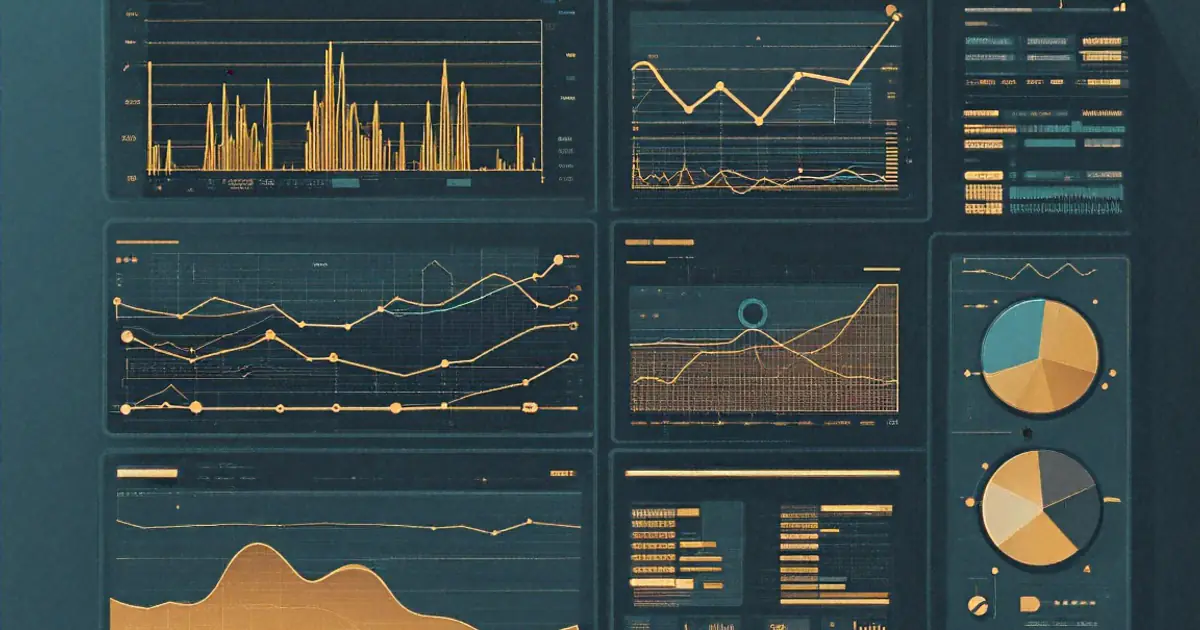
Started my career debugging production issues with ssh server && tail -f /var/log/app.log | grep ERROR. Worked fine. One server, one log file, errors visible in real time. Felt like I had a handle on things.
Then the team grew, the architecture split into services, we added load balancers and multiple instances, and suddenly that approach fell apart completely. An error in the API gateway triggered by a timeout in the user service caused by a slow query in the database — but the logs for each lived on different machines, with different timestamps, and no shared identifier connecting them. Debugging meant correlating timestamps across three SSH sessions, hoping the clocks were synced, and piecing together a timeline manually.
That's when I understood the difference between logging and observability. Logging is writing down what happened. Observability is being able to answer questions about your system you didn't anticipate needing to ask. Different goals. Different tools. Different ways of thinking about instrumentation.
Why Grep Fails at Scale
Let me be specific about when grep-based debugging breaks.
Multiple instances. Your API runs on four pods behind a load balancer. A user reports a bug. Which pod handled their request? You don't know. SSH into all four and grep all four log files. Hope the request ID or something identifiable exists in the log line. Often it doesn't, because nobody thought to add it until this moment.
Log volume. A moderately busy API generating structured logs at 1000 requests per second produces about 2GB of logs per day. That's per service. Five services means 10GB daily. Grepping through 10GB of text files is slow. Grepping with regex patterns across a week of logs is not viable without indexed search.
Distributed causality. Request enters Service A, which calls Service B, which calls Service C, which fails. Service C logs the error. But the user's experience is that Service A returned a 500. If you're starting from Service A's logs, you see a generic upstream failure. The root cause is three hops away. No amount of grepping Service A's logs will tell you that Service C's database connection pool was exhausted.
Ephemeral infrastructure. Containers and serverless functions come and go. The instance that logged the error might not exist anymore by the time you start investigating. Its logs vanish with it unless you've shipped them somewhere persistent first.
These aren't hypothetical problems. Hit every single one of them over the course of about six months. Each time, the fix was incremental — add a request ID, centralize logs, add a metric. Eventually realized these fixes were converging toward a well-known set of practices that the industry calls observability.
The Three Pillars
Observability is typically described as three complementary data types: logs, metrics, and traces. Each answers different questions. None is sufficient alone.
Logs — What Happened
A log is an event record. Something happened, here's a description, here's when, here's the context. Logs are the most intuitive form of observability because developers already produce them. console.log('User logged in'). That's a log.
I think the problem is how those logs are structured. Or more commonly, how they're not structured.
[2026-03-25 14:23:45] INFO: User 4521 logged in from 192.168.1.100
[2026-03-25 14:23:46] ERROR: Failed to fetch profile for user 4521 - timeout
Human-readable. Greppable in small volumes. Useless in a log aggregation system because every field is embedded in a free-text string. Want to search for all errors for user 4521? You need a regex that parses this specific format. Want to count login events per minute? Another regex. Want to correlate with a request ID? Hope it's in there somewhere.
Structured logging changes the game, I think:
const logger = require('pino')();

logger.info({
    event: 'user_login',
    userId: 4521,
    ip: '192.168.1.100',
    requestId: req.headers['x-request-id'],
    duration_ms: 45,
    service: 'auth-api'
});
Output is JSON:
{"level":"info","event":"user_login","userId":4521,"ip":"192.168.1.100","requestId":"abc-123","duration_ms":45,"service":"auth-api","time":1711372225000}
Now every field is a queryable property. In Elasticsearch, CloudWatch Logs Insights, Datadog, Loki, or whatever your log aggregation tool is, you can write: userId = 4521 AND event = "user_login". No regex. No parsing. Indexed, fast search across millions of log entries.
The switch to structured logging was the single highest-impact observability improvement I've made. Took about two weeks to migrate an existing codebase — replace console.log calls with structured logger calls, add request ID propagation, set up a log aggregation pipeline. Immediately paid for itself the first time I needed to debug a production issue.
Metrics — What's Happening Right Now
Logs tell you what happened in the past. Metrics tell you what's happening in aggregate right now. Request rate. Error rate. Latency percentiles. CPU usage. Queue depth. Connection pool utilization.
The key distinction, as far as I can tell: metrics are aggregated, numeric, and time-series. You don't care about individual events. You care about trends and thresholds. "Error rate exceeded 5% over the last 5 minutes" is a metric alert. "User 4521 got an error" is a log event. Different granularity, different purpose.
Prometheus is the standard for metric collection in most environments. Your application exposes a metrics endpoint, Prometheus scrapes it periodically, stores the time-series data, and you query it.
const client = require('prom-client');

const httpRequestDuration = new client.Histogram({
    name: 'http_request_duration_seconds',
    help: 'Duration of HTTP requests in seconds',
    labelNames: ['method', 'route', 'status_code'],
    buckets: [0.01, 0.05, 0.1, 0.5, 1, 5]
});

app.use((req, res, next) => {
    const end = httpRequestDuration.startTimer();
    res.on('finish', () => {
        end({
            method: req.method,
            route: req.route?.path || 'unknown',
            status_code: res.statusCode
        });
    });
    next();
});
This records the duration of every HTTP request, labeled by method, route, and status code. In Grafana (the visualization layer most people pair with Prometheus), you can build dashboards showing:
- P50, P95, P99 latency for each endpoint
- Request rate over time
- Error rate by status code
- Slowest endpoints ranked
The histogram buckets matter. They define the resolution of your latency data. If your fastest bucket is 0.1s and most requests complete in 0.02s, you've lost visibility into the fast end. If your slowest bucket is 1s and some requests take 10s, those outliers get lumped together. Choose buckets that match your expected latency distribution.
Metrics are cheap. A single metric with a few labels takes bytes of storage per scrape interval. You can instrument everything without worrying about volume the way you do with logs. Counter for requests served. Gauge for active connections. Histogram for response times. Put them everywhere. The cost of having a metric you don't look at is near zero. The cost of not having a metric you need during an incident is hours of blind debugging.
Traces — How It Happened Across Services
A trace follows a single request through your entire system. The request enters the API gateway (span 1), hits the auth service (span 2), fetches from the user database (span 3), calls the notification service (span 4). Each step is a "span" with start time, duration, and context. The collection of spans forms a trace.
Traces answer the question logs and metrics can't: where did the time go? A user reports that page loads take 4 seconds. Metrics show P95 latency is 4.2s. But which service is responsible? Logs show each service processed its part in under 100ms. The trace reveals that the API gateway spent 3.5s waiting for the recommendation service, which was making a synchronous call to a third-party API that was slow.
Without tracing, you'd investigate each service independently, see that each one is fast, and conclude there's no problem — while the user continues experiencing 4-second loads. Tracing shows the complete picture.
const { trace, SpanKind } = require('@opentelemetry/api');

const tracer = trace.getTracer('user-service');

async function getUser(userId) {
    return tracer.startActiveSpan('getUser', {
        kind: SpanKind.INTERNAL,
        attributes: { 'user.id': userId }
    }, async (span) => {
        try {
            const user = await db.query('SELECT * FROM users WHERE id = $1', [userId]);
            span.setAttribute('user.found', !!user);
            return user;
        } catch (error) {
            span.recordException(error);
            span.setStatus({ code: SpanStatusCode.ERROR });
            throw error;
        } finally {
            span.end();
        }
    });
}
The span captures: when the database query started, how long it took, whether it succeeded, and the user ID involved. This span becomes part of the larger trace that started when the HTTP request arrived. If the database query is slow, the trace visualization shows exactly which span consumed the time.
OpenTelemetry — The Standard That Matters
For a long time, each observability tool had its own instrumentation SDK. Datadog's library. Jaeger's client. Zipkin's reporter. New Relic's agent. If you switched vendors, you re-instrumented your entire codebase. Vendor lock-in at the instrumentation layer.
OpenTelemetry (OTel) changed this. It's a CNCF project that provides a single, vendor-neutral API for generating logs, metrics, and traces. Instrument once with OTel, then export to whatever backend you choose. Switch from Jaeger to Datadog? Change the exporter configuration. Your instrumentation code doesn't change.
Setting up OTel in a Node.js application:
// tracing.js - initialize before anything else
const { NodeSDK } = require('@opentelemetry/sdk-node');
const { OTLPTraceExporter } = require('@opentelemetry/exporter-trace-otlp-http');
const { OTLPMetricExporter } = require('@opentelemetry/exporter-metrics-otlp-http');
const { getNodeAutoInstrumentations } = require('@opentelemetry/auto-instrumentations-node');
const { PeriodicExportingMetricReader } = require('@opentelemetry/sdk-metrics');

const sdk = new NodeSDK({
    traceExporter: new OTLPTraceExporter({
        url: process.env.OTEL_EXPORTER_OTLP_ENDPOINT + '/v1/traces'
    }),
    metricReader: new PeriodicExportingMetricReader({
        exporter: new OTLPMetricExporter({
            url: process.env.OTEL_EXPORTER_OTLP_ENDPOINT + '/v1/metrics'
        }),
        exportIntervalMillis: 15000
    }),
    instrumentations: [getNodeAutoInstrumentations()]
});

sdk.start();
The auto-instrumentations-node package automatically instruments common libraries — Express, HTTP, database drivers, Redis clients. Without writing any application-level instrumentation code, you get traces for every incoming HTTP request, every outgoing HTTP call, every database query. The automatic instrumentation isn't perfect — it captures the mechanical operations but not your business logic. That's where manual spans come in for important operations.
The OTel Collector is the other piece. It's a standalone process that receives telemetry data from your applications, processes it (batching, filtering, sampling), and exports it to one or more backends. Your application sends data to the collector, and the collector sends it to Grafana Tempo, Jaeger, Datadog, or wherever. The collector decouples your application from the backend, which is the right architecture for anything beyond a toy setup.
Putting It All Together
Here's how the three pillars work together during an actual incident.
Alert fires: Metric-based. "Error rate on /api/orders exceeded 5% for 3 minutes." You know something is wrong.
Check the dashboard: Grafana shows the error rate spike starting at 14:17. Latency P99 also spiked from 200ms to 8s at the same time. Something got slow and errors followed.
Look at traces: Filter traces for the /api/orders endpoint in the time window around 14:17. Sort by duration. The slowest traces show a span called inventory-service.checkStock taking 7.5 seconds. Normal is 50ms.
Dig into the span: The trace shows the inventory service was calling a downstream warehouse-api endpoint. That span has an error attribute: connection timeout after 7s.
Check inventory service logs: Using the trace ID, pull up all log entries across services for one of the failing traces. The inventory service log shows: "event": "warehouse_api_timeout", "url": "http://warehouse-api:8080/stock", "timeout_ms": 7000, "retries": 2.
Check warehouse API metrics: The warehouse API's CPU metric shows it pegged at 100% starting at 14:15 — two minutes before the alert. A batch job that runs hourly was consuming all CPU.
Root cause identified in about ten minutes. Metric told you something was wrong. Trace told you where the time was going. Logs told you the specific error. Metrics on the downstream service revealed why. Without any one of these pillars, the investigation would have been longer and more painful.
Structured Logging in Practice
Beyond the format, a few patterns that matter in production.
Request ID propagation. Every incoming request gets a unique ID. That ID appears in every log line produced while handling that request, and it's passed to any downstream service calls. When something breaks, search for the request ID and you get the complete story across all services.
app.use((req, res, next) => {
    req.requestId = req.headers['x-request-id'] || crypto.randomUUID();
    res.setHeader('x-request-id', req.requestId);
    next();
});
Log levels that mean something. I've seen codebases where everything is INFO or everything is ERROR. Neither is useful. My convention:
DEBUG— detailed information for development. Never enabled in production unless actively debugging.INFO— significant business events. User logged in. Order placed. Payment processed. Things you'd want in an audit trail.WARN— something unexpected that the system handled. Retry succeeded. Cache miss. Fallback used.ERROR— something failed and needs attention. Unhandled exception. External service down. Data inconsistency.
The key: can you set the log level to WARN in production and still see everything that needs human attention? If yes, your levels are well-calibrated.
Don't log sensitive data. Sounds obvious. Still found passwords, API keys, and full credit card numbers in logs at companies that should know better. Sanitize before logging. Build it into your logger as middleware, not as something each developer has to remember.
function sanitize(obj) {
    const sensitive = ['password', 'token', 'apiKey', 'authorization', 'ssn'];
    const sanitized = { ...obj };
    for (const key of Object.keys(sanitized)) {
        if (sensitive.some(s => key.toLowerCase().includes(s))) {
            sanitized[key] = '[REDACTED]';
        }
    }
    return sanitized;
}
Common Mistakes
Over-instrumenting early. Don't try to build a full observability stack before you have a working application. Start with structured logging. Add metrics for the things that matter (request rate, error rate, latency). Add tracing when you have multiple services. Grow the instrumentation as the system grows.
Alerting on everything. Every metric gets an alert. Alert fatigue sets in within a week. People start ignoring pages. The critical alert that needed immediate attention gets lost in the noise. Alert on symptoms that affect users (error rate, latency), not on causes (CPU usage, memory). High CPU that doesn't affect users isn't an emergency at 3 AM.
Not sampling traces. Tracing every single request in a high-traffic system generates enormous amounts of data and costs a fortune in storage and processing. Sample. Trace 10% of requests in normal operation. Trace 100% of errors. Trace 100% of slow requests (tail-based sampling). The math works out — if you're processing 1000 requests per second and sampling 10%, you're still capturing 100 traces per second. Plenty for understanding system behavior.
Ignoring cardinality. Adding user IDs as metric labels sounds useful until you have a million users and your Prometheus server runs out of memory because each unique label combination creates a separate time series. High-cardinality data belongs in logs and traces, not metrics. Metrics should use bounded labels: HTTP method (5-6 values), status code class (5 values), service name (bounded), endpoint route (bounded).
The Honest Cost
Observability infrastructure is not free. Datadog's pricing has become a meme in the industry for a reason — ingesting logs, metrics, and traces at scale costs real money. Self-hosted alternatives (Prometheus + Grafana + Loki + Tempo) cost less in licensing but more in engineering time to operate.
For a small team running a few services, the free tiers of Grafana Cloud or similar platforms are usually sufficient. For a larger operation, expect observability to be a meaningful line item in your infrastructure budget. Some teams spend more on observability than on the compute running their application.
Is it worth it? Depends on what downtime costs you. If a production incident costs $10,000 per hour in lost revenue and good observability reduces mean-time-to-resolution from 2 hours to 20 minutes, the math works out quickly. If you're running an internal tool where nobody notices downtime until Monday morning, the investment is harder to justify.
The approach I think I'd recommend: start cheap (structured logging to a free log aggregation tier), add metrics as you scale, add tracing when debugging cross-service issues becomes painful. Let the pain guide the investment. Don't build a monitoring empire for an application that could be debugged with tail -f on a single server. But recognize when you've outgrown that and invest before the next incident forces you to.
Probably the best observability setup is the one that helps you answer "what went wrong and why" faster than the alternative. Everything else is tooling preference.
Keep Reading
- Learning Docker — What I Wish Someone Had Told Me Earlier — Containers are where most observability pipelines begin; understanding Docker helps you instrument and ship logs from the right layer.
- System Design — Not Interview Prep, Real Decisions — Observability is a cross-cutting concern; this covers the architectural decisions that determine what you need to monitor.
Written by
Anurag Sinha
Full-stack developer specializing in React, Next.js, cloud infrastructure, and AI. Writing about web development, DevOps, and the tools I actually use in production.
Stay Updated
New articles and tutorials sent to your inbox. No spam, no fluff, unsubscribe whenever.
I send one email per week, max. Usually less.
Comments
Loading comments...
Related Articles

SSH Tunneling — The Networking Swiss Army Knife Nobody Taught Me
Local forwarding, remote forwarding, dynamic SOCKS proxies, jump hosts, and the SSH config shortcuts that replaced half my VPN usage.
DNS Explained Properly — Recursive Resolvers, TTL, and Why Propagation Isn't Real
The thing nobody explains well: what actually happens between typing a URL and getting an IP address, and why 'DNS propagation' is a misleading term.
GitHub Actions CI/CD — From Zero to Production Pipelines
How I built CI/CD workflows that actually work, including the secrets management mistakes and caching tricks that took me months to figure out.